Sign up as Learner

Create a free learner account so you can enroll in courses, practice, and track mastery

Learner sign-up is always available — including when educator registration is hidden or disabled. Use Sign up as Learner on the home page, or Sign up in the site header.

Open the sign-up page

You can reach learner registration from several places. Any of these paths opens the same learner form.
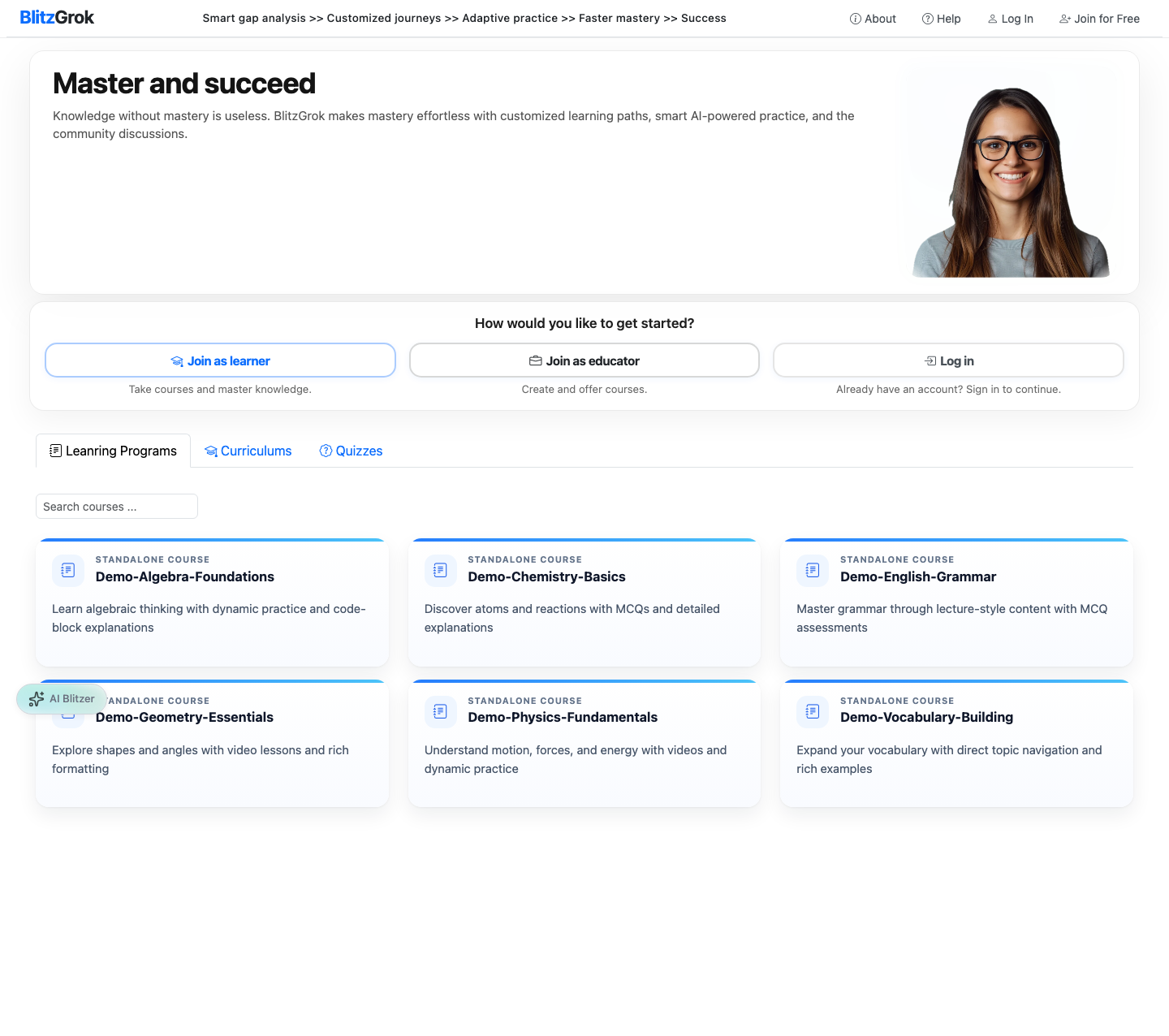
Home page with Sign up as Learner
Home page — Sign up as Learner
  • On the home page, click Sign up as Learner
  • In the site header, click Sign up
  • On the login page, choose Sign up under “Don't have an account?”
  • If you land on educator registration by mistake, use Sign up as Learner on that page
Sign up as Learner

Create your account

Choose Google for a quick start, or fill in the registration form with email and password.

  • Continue with Google — creates or links a learner account with your Google profile
  • Or enter your name, username, email, and password
  • Optional fields such as date of birth, about me, and learning interests help personalize your experience
  • Agree to the Terms and Conditions, complete reCAPTCHA if shown, then click Sign up

Confirm your email

After email registration, BlitzGrok sends a confirmation link to the address you provided.

  • Open the message titled like “Confirm your BlitzGrok account”
  • Click the confirmation link to activate your account and sign in
  • If you do not see the email, check spam or request help from support

After you sign up

Once your account is confirmed, you can enroll and start learning.

  • Browse courses and curriculums from the home page
  • Click Enroll (or purchase if the content is paid)
  • Track progress from your dashboard and use practice to build mastery
  • Parents can create accounts and manage learners from one family account
Questions about signing up?

We're here to help you get started

Contact Us