Question Creation
Learn how to create dynamic, engaging practice questions
Dynamic Questions
BlitzGrok's most powerful feature is dynamic question generation. Instead of creating individual static questions, you create question templates with variables that generate unique questions each time.
- Students get unique practice each time
- Prevents memorization, builds understanding
- One template = infinite variations
- Better assessment of true mastery
Question Types
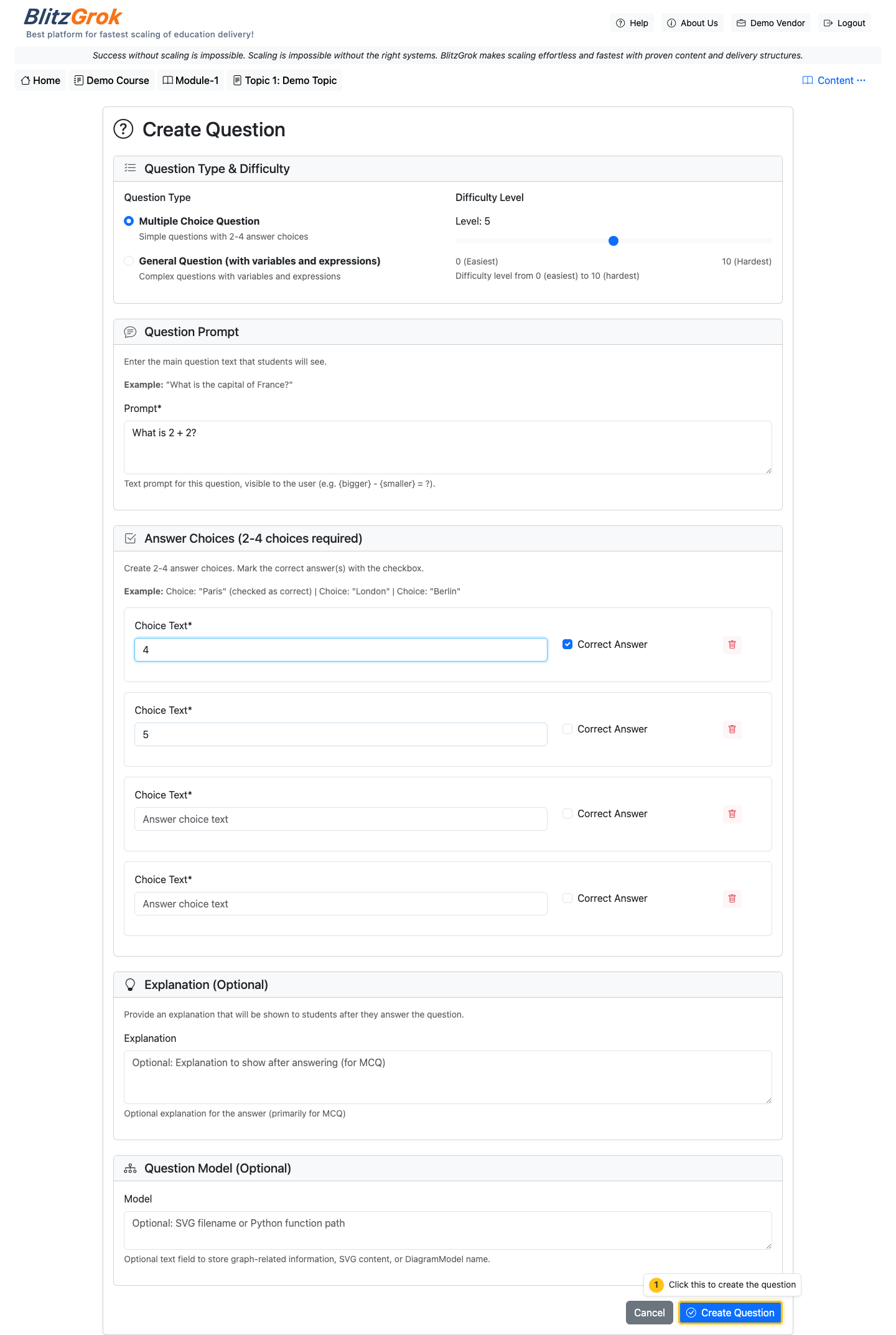
Multiple Choice
Students select from predefined options. Use for:
- Concept identification
- True/False questions
- Best answer scenarios
Answer format: Expressions that evaluate to 'True' or 'False'
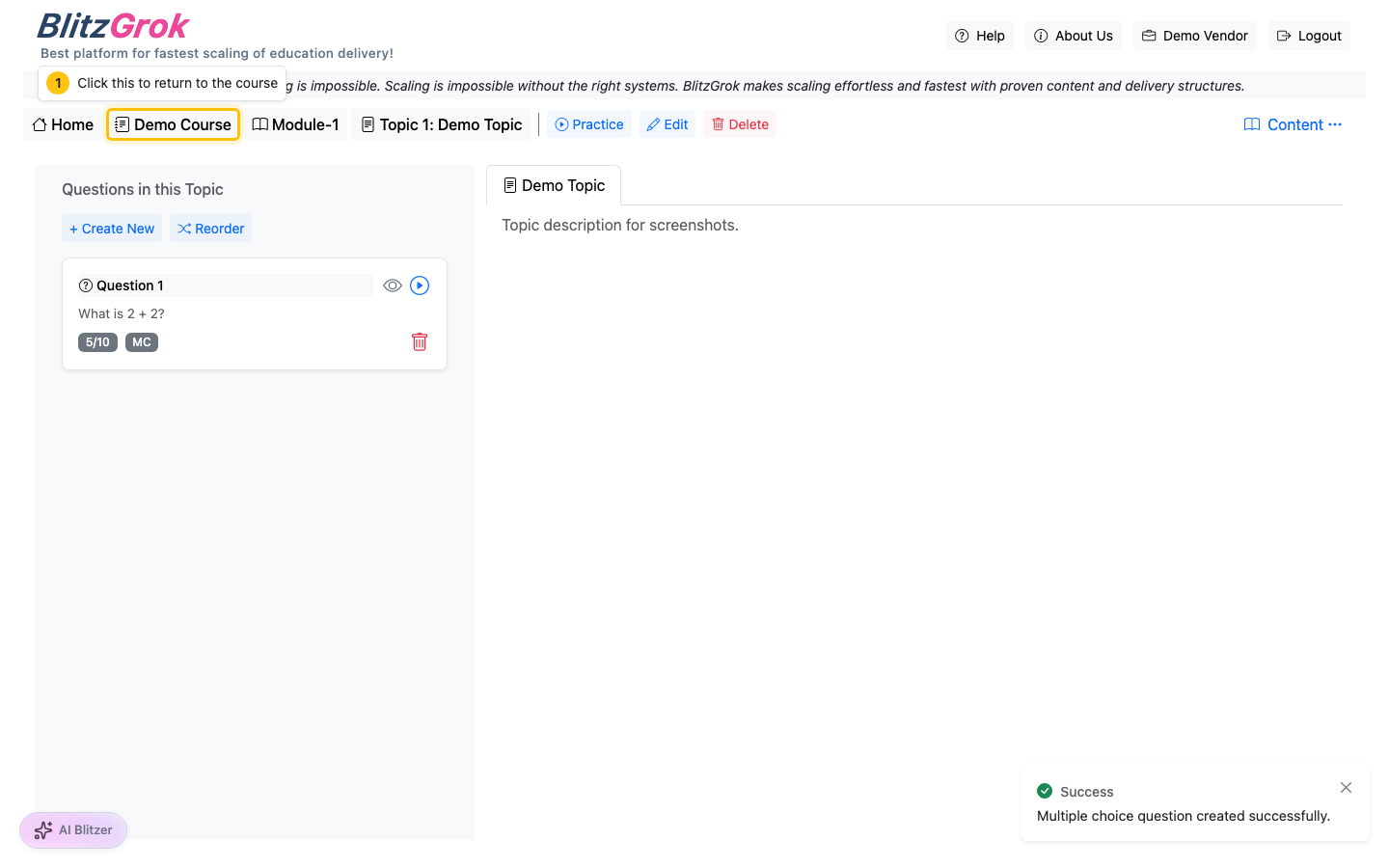
UI Walkthrough (Screenshots)
General Questions
Students enter numeric or text answers. Use for:
- Math calculations
- Fill-in-the-blank
- Short answer responses
Answer format: Python expressions that evaluate to the correct answer
Creating Questions
1 Define Variables
Variables make your questions dynamic. Each variable has:
- Name - Used in prompts and answers (e.g.,
x,speed) - Expression - Python code that generates the value (e.g.,
randint(1, 10))
Example Variables:
x = randint(1, 10)y = randint(1, 10)answer = x + y
randint(a, b), choice([items]),
uniform(a, b), round(x), and more
2 Add Constraints (Optional)
Constraints filter out invalid variable combinations. Use when:
- You need specific relationships between variables
- Certain combinations don't make sense
- You want to control difficulty
Example Constraints:
x > 5 - Only generate when x is greater than 5x != y - Ensure x and y are differentanswer > 0 - Only positive answers
3 Write Prompts
The question text shown to students. Use {variable_name} to insert values.
Example Prompt:
What is {x} + {y}?
With x=3, y=5, student sees: "What is 3 + 5?"
4 Define Answers
Specify the correct answer(s) using Python expressions.
For General Questions:
answer - Use a variable you definedx + y - Calculate directlystr(round(result, 2)) - Format the answer
For Multiple Choice:
'True' - This option is correct'False' - This option is incorrectstr(x > 5) - Conditional correctness
Complete Example
Goal: Create a simple addition question
x = randint(1, 10)y = randint(1, 10)answer = x + y
answer <= 15
Keep answers reasonable
What is {x} + {y}?
answer
Best Practices
- Test thoroughly - Generate multiple instances to ensure variety
- Clear prompts - Be specific about what you're asking
- Appropriate ranges - Don't make numbers too large or complex
- Use constraints wisely - Filter impossible cases, but don't over-constrain
- Add explanations - Help students learn from mistakes
- Vary difficulty - Create multiple questions at different levels
Add Visual Content
Ready to enhance your questions with diagrams and visual content?
Learn About Diagram IntegrationQuestions about dynamic question generation?
We're here to help